A GoHighLevel login page design with real curb appeal
Every agent, assistant and client walks through the same front door each morning. Give it the twilight-photo treatment: 16 animated designs, your logo, your words, and matching two-factor and reset screens.
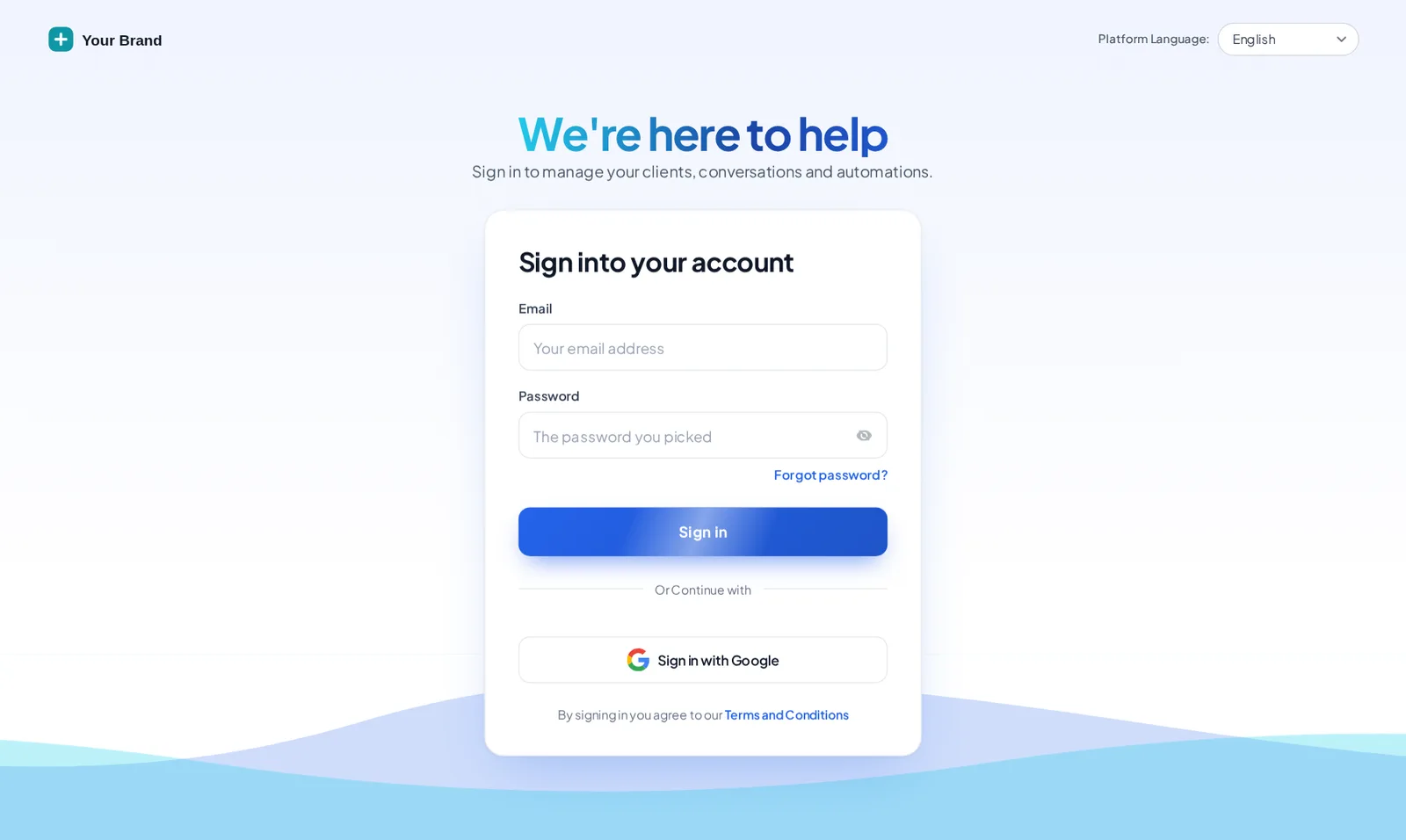
16 front doors to choose from
Light, dark, photo and pure motion. Each design is built for the real GoHighLevel login markup and follows your brand colour.
- AuroraDrifting colour glow behind a glass card
- Split heroPhoto panel with your message or quotes, sign-in on the right · quotes
- CinematicFull-screen slow-zoom photo, frosted card and rotating quotes · quotes
- EditorialSign-in on the left, big photo and quotes on the right · quotes
- Midnight starsTwinkling night sky, moon glow and rotating quotes · quotes
- Neon gridMoving retro grid and a spinning glow border
- Prism ringDark page with a slowly turning colour ring behind the card
- Gradient meshSoft colour blobs morphing behind a white glass card
- Ocean wavesLight page with rolling waves and a floating card
- Minimal glowClean white, soft spotlight and a moving accent bar
- Frosted photoFull-screen mountain photo, crystal glass card, drifting light
- Photo wallSign-in on the left, two photo columns gliding on the right
- Sunrise hillsWarm sky, a rising sun and rolling layered hills
- OrbitDeep space rings with planets circling the card
- Light beamsDark grid with falling light beams and a top spotlight
- HolographicPearl page, iridescent glow and a shimmering foil border
Fast fact: GoHighLevel never runs custom scripts on its login page, but it does load Custom CSS there. That is why the customizer’s login designs are pure CSS, delivered with one @import line, and why they keep working on two-factor and password reset.
Unlocking the showing…
Now showingOcean wavesThe same CSS that ships to GoHighLevel, applied to a copy of the real login markup. Switch screens to see the two-factor and password reset steps.
Match the door to the house
Pair a dark theme with a dark login and the hand-off from sign-in to dashboard feels seamless. Graphite Pro, for example, carries the Prism ring login: a glowing ring on deep graphite.
- 01
Choose a front door
Pick one of the 16 designs in the Login tab and check it on the sign-in, two-factor and reset screens.
- 02
Add your touches
Logo and logo style, headline, button colour, background photo and, on photo designs, rotating quotes from your clients.
- 03
Paste one CSS line
Add the @import line to Custom CSS under Agency Settings, Company, White Label. Paste it once; later changes go live on their own.
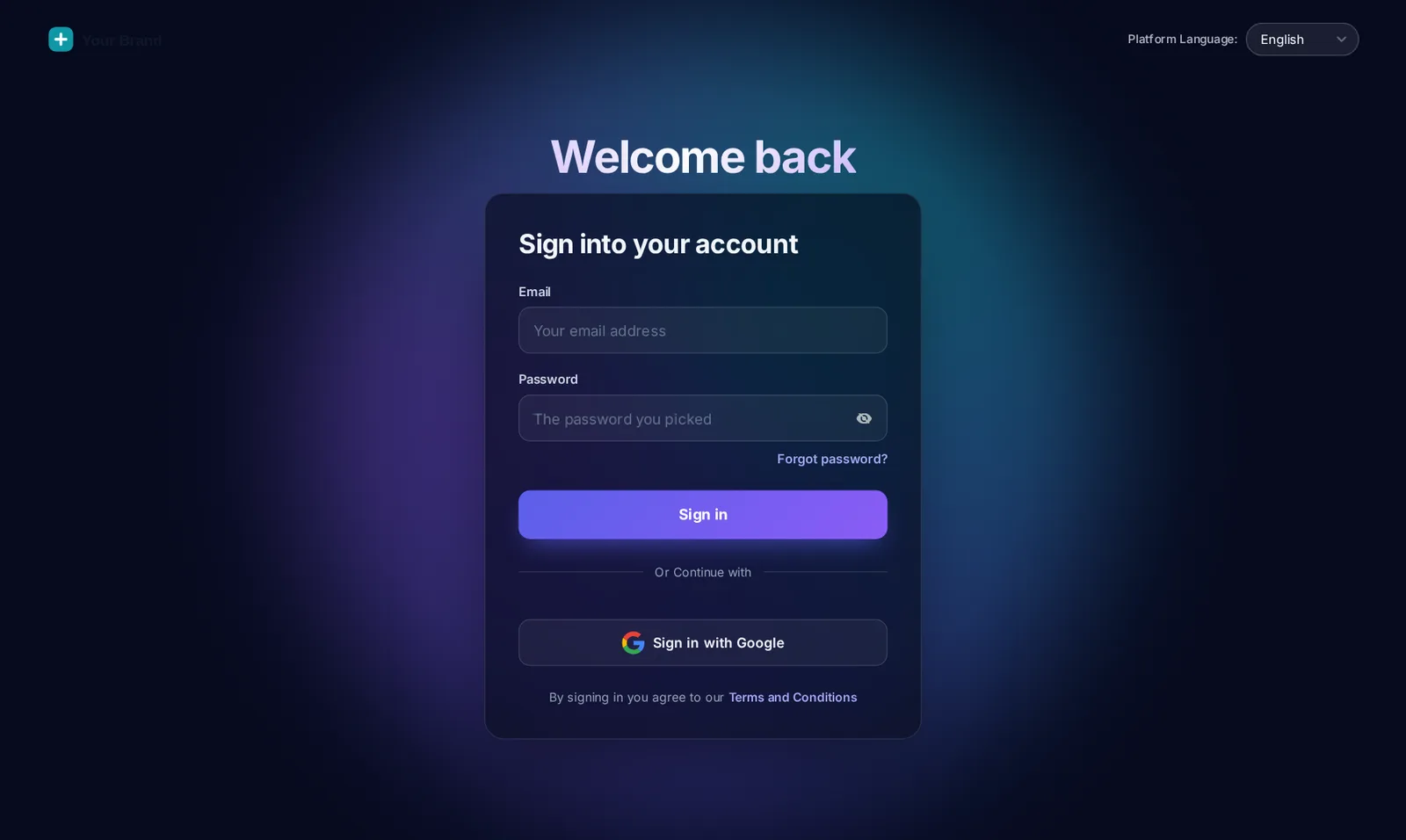
The login page comes with every package
GoHighLevel login page FAQ
Yes. GoHighLevel loads your Custom CSS on the login page, so the customizer delivers the design as one CSS import. Choose from 16 animated designs and the sign-in, two-factor and password reset screens all match.
GoHighLevel does not run Custom JS before someone signs in. It does load Custom CSS, so the login design arrives as a single @import line you paste once.
Yes. Every design styles the sign-in screen, the security code screen and the password reset screen, so an agent never drops back to the stock page halfway through signing in.
Yes. 4 designs have a panel for rotating quotes. Write one per line with the author after a dash, for example a line from a seller you helped last spring.
Designs with a photo let you swap in your own image, such as your city skyline, a signature listing or your office, with the design’s overlay keeping text readable.
Yes. Every design is responsive. Use the phone button in the preview to see how each one adapts on a small screen.
Yes. Each workspace has its own login CSS address, so a brokerage and a sister brand can each have their own front door.
All 16 designs are in every package, starting with Open House at $277 one-time.
No. It is a stylesheet the browser caches. The animation is CSS, so it adds no scripts to the sign-in flow.
Step inside: the other rooms
- Paint and finishesThemes & dark mode27 complete GoHighLevel themes, 11 UI kits and dark mode, with GoHighLevel's hard-coded blues remapped to your brand.From Open House
- The floor planMenus & navigationRename, reorder and hide menu items, switch to a top bar in 8 styles, add mega menus in 8 styles and a floating quick menu.From Listing Pro
- The living roomDashboard designs18 sub-account dashboard designs with a welcome banner, live clock, quick links, photo backgrounds and brand chart colours.From Listing Pro
- The showing schedulePipeline board designs12 opportunities board designs with stage colours by position, so every pipeline from new lead to closed picks them up.From Listing Pro
- The key boxContact actions barQuick tags and one-tap buttons on the contact page that start workflows and fill custom fields from a short pop-up form.From Listing Pro
- The yard signPopups43 popup templates in 7 formats for inside GoHighLevel and on your websites, with triggers, targeting and stats.From Luxury Estate
- The neighbourhood buzzSocial proof & notifications32 notification and widget types with 94 templates: reviews, recent activity, lead collectors, feedback and chat buttons.From Luxury Estate
- The appraisalCalculators14 calculator types and 134 templates, including database reactivation, ROI, speed-to-lead and stack replacement.From Luxury Estate
- The concierge deskFloating widgets51 floating widget templates in 7 types: social links, a WhatsApp and call hub, forms, reviews, booking and video.From Luxury Estate
First impressions close deals.
All 16 login designs, 27 themes and dark mode are in Open House. Your login arrives by email within minutes.
GoHighLevel and HighLevel are trademarks of HighLevel, Inc. Real Estate Snapshot is an independent team and is not affiliated with, endorsed by or sponsored by HighLevel, Inc. The GHL Customizer account runs on the GHL Customer Care customizer platform; GoHighLevel itself is a separate subscription you buy from HighLevel.