A GHL theme that repaints every room, not just the front door
27 complete themes, 11 UI kits and a real dark mode for GoHighLevel. Pick a finish, set your brokerage colours and every agent sees the same polished platform on their next click.
How it works: a theme sets the sidebar, header, background, fonts, radius and UI kit together, and the colour remap swaps GoHighLevel’s hard-coded blues for your brand colour. Choose “All 27 themes” below to see every finish.
Unlocking the showing…
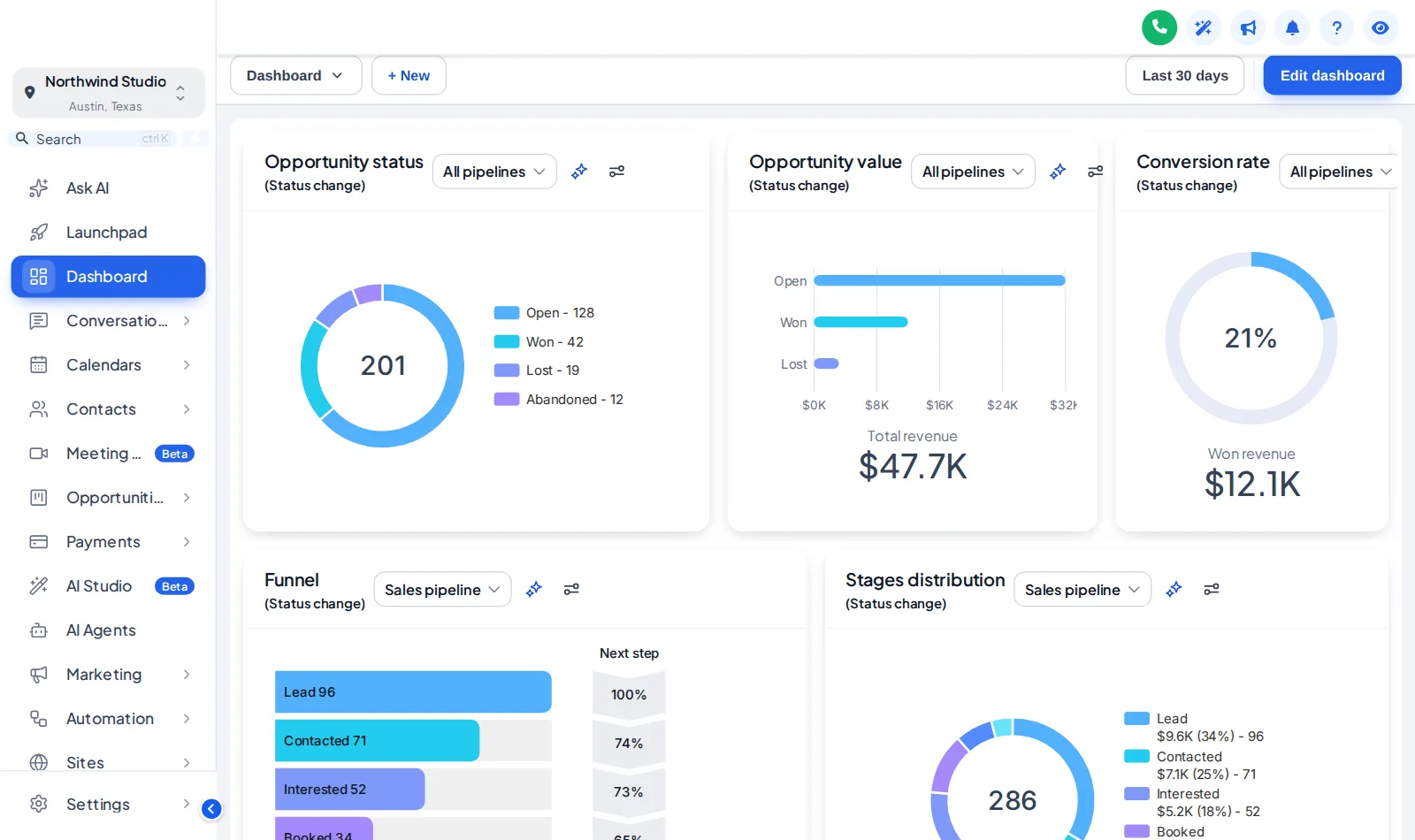
Now showingGraphite ProThe real customizer engine restyling a copy of a GoHighLevel sub-account. Click inside it: the menu, the collapse button and the Save contact modal all respond.
All 27 GoHighLevel themes at a glance
Each chip shows a theme's sidebar colour and its accent. Warm, cool, light, dark, top-bar and right-dock layouts are all here, so a luxury team and a first-time-buyer specialist can each find their finish.
- Midnight EmberDark navy sidebar, orange energyLight
- Arctic CleanWhite top bar, crisp blue SaaS lookLight · top bar
- Ocean GlassFrosted glass over an ocean photo, right dockLight · right dock
- Forest FinanceDeep green, side accents, calm & trustworthyLight
- Neon NightsPurple-to-pink glow, bold and modernLight
- Mono StudioBlack & white brutalist, top barLight · top bar
- Sunset CoralWarm peach sidebar, round & friendlyLight
- Royal Navy & GoldPremium navy with gold highlightsLight
- Lavender DreamPastel lilac, soft & airyLight
- Slate CorporateNeutral slate & indigo, compact & efficientLight
- AuroraGlass sidebar over a northern-lights photoLight
- Desert SandEarthy beige & terracotta, top barLight · top bar
- Midnight SkyDeep violet night, twinkling stars on the loginLight
- Editorial StudioCrisp black & teal, magazine-style loginLight
- Cinematic CityAmber city lights, full-screen photo loginLight
- Care DeskFriendly support blue, split photo loginLight
- Prism ProDark indigo with a colour-ring loginLight
- Pastel MeshSoft light theme, morphing colour loginLight · top bar
- Alpine GlassFrosted glass over misty mountainsLight
- Creative AgencyCrisp white & rose, top bar, photo-wall loginLight · top bar
- Golden HourWarm peach & amber, sunrise-hills loginLight
- Deep SpaceMidnight blue & cyan, orbiting-planets loginLight
- Cyber LimeNear-black with electric lime, light-beam loginLight
- Holo PearlPearl white with pink-violet foil, holographic loginLight
- Graphite ProDark mode , soft graphite with an indigo glowDark
- Obsidian OLEDDark mode , true black with a vivid raspberry glowDark
- Midnight MintDark mode , deep navy with fresh mint accentsDark
For the agent answering leads at 11 pm
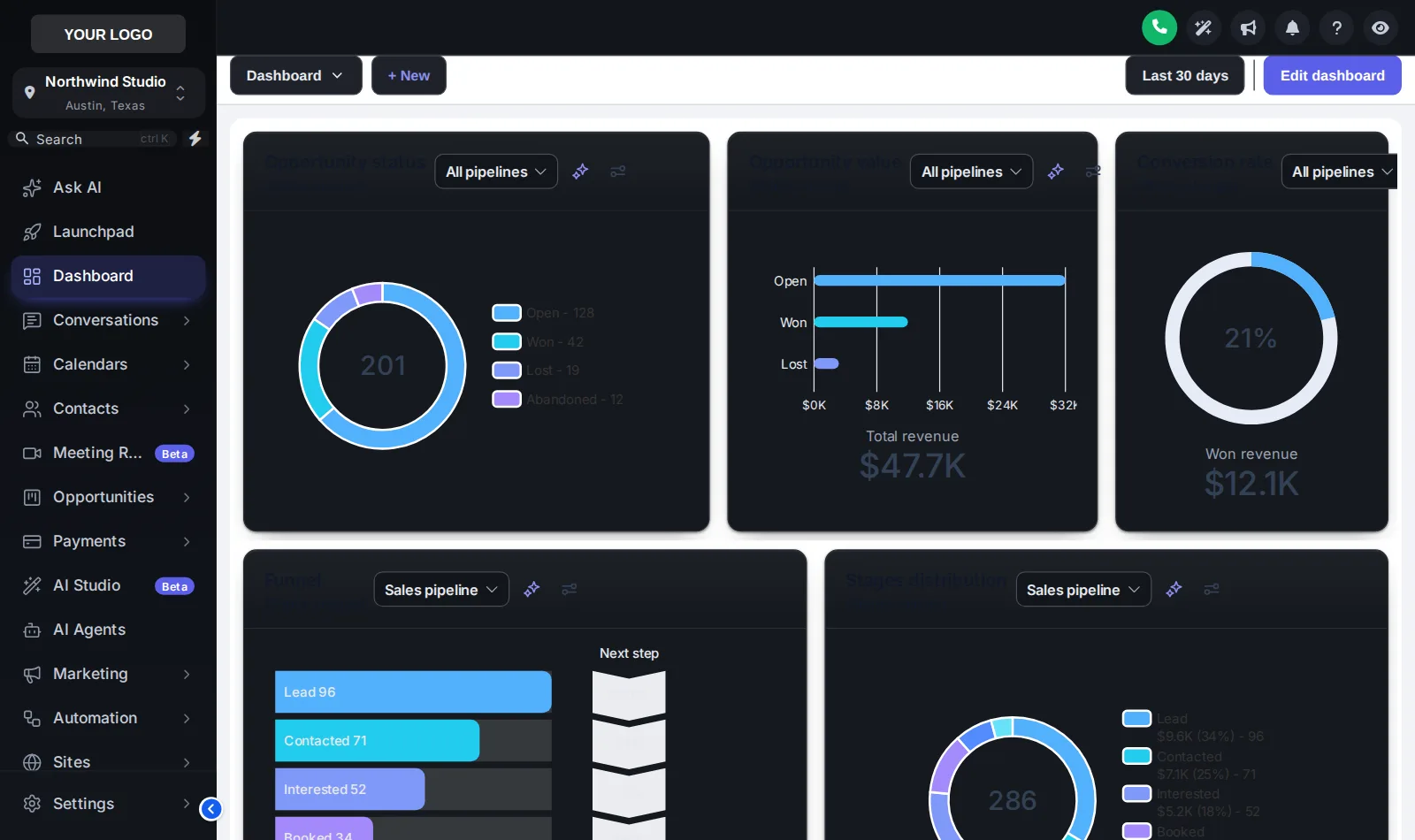
Real estate does not keep office hours. Showings run late, offers land at night and the phone lights up on Sunday. 3 of the themes are true dark themes with their own palette for surfaces, borders and text, so evening work is easier on the eyes.
- Graphite Pro
- Obsidian OLED
- Midnight Mint
11 kits decide how every card and button feels
A theme chooses the colours; a kit chooses the shapes. Swap the kit and cards, buttons, inputs, tables, tabs and modals change together. Elevated, used in these screenshots, lifts cards off the page with soft depth.
- Soft Shadow
- Bordered Flat
- Elevated
- Glass
- Accent Top
- Side Accent
- Brutalist
- Studio Gradient
- Halo Glow
- Crisp Highlight
- Rounded Pill
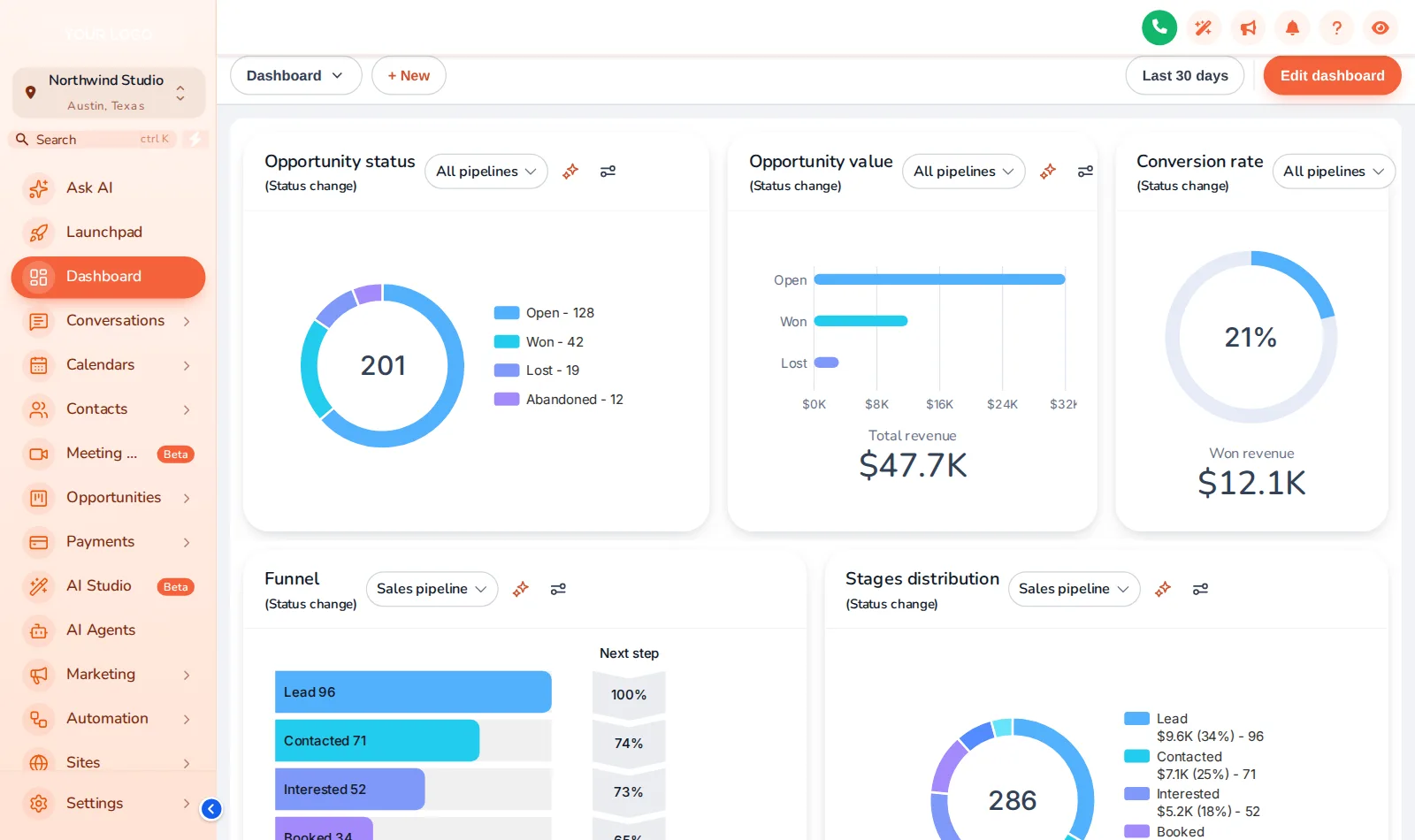
White-label settings change a logo. A theme changes the house.
Stock GoHighLevel white label
- Your logo on the same sidebar every agency uses
- GoHighLevel blue on buttons, tabs and links
- Plain cards, plain tables, plain forms
- Bright white screens at midnight
Themed Your brokerage platform
- Sidebar, header and background in your brand
- Hard-coded blues remapped to your colour
- A UI kit that restyles every component together
- Dark mode across GoHighLevel pages
- Step 1
Pick a finish
Open the Theme tab and choose one of the 27 themes. The live preview restyles a sample sub-account straight away.
- Step 2
Match your brokerage
Set your logo, brand colour and font, choose a UI kit and decide whether dark mode is on.
- Step 3
Save once, live everywhere
Save, and the agency view and every sub-account pick up the new look on their next page load.
Themes are in every package
GHL theme FAQ
A GHL theme is a complete visual style for GoHighLevel: sidebar, header, page background, typography, corner radius, a UI kit for cards, buttons, tables and forms, and a matching login page. The customizer ships 27 of them.
It is a full white-label theme. GoHighLevel’s own white-label settings change a logo and a couple of colours; a theme changes every surface, and the colour remap replaces the blues GoHighLevel hard-codes in hundreds of places.
Not across the app out of the box. 3 of the customizer themes are dark, with their own dark palette for surfaces, borders and text on every page that has the GoHighLevel sidebar. Graphite Pro, shown in the preview, is one of them.
A UI kit is the shape language of the app: how cards, buttons, inputs, tables, tabs and modals look. There are 11, from Soft Shadow and Bordered Flat to Glass, Halo Glow and Elevated. You can put any kit on any theme.
Yes. A theme is a starting point. Change any colour, the font, the radius and the shadow depth in the editor and watch the preview update as you go.
Yes. The loader always fetches your latest saved version, so a change reaches every sub-account on its next page load. Nobody has to clear anything or reinstall.
A few screens, such as parts of Location Settings, load inside a frame from another domain. Browsers do not allow outside styling there, so those areas keep the stock look.
Every package. Themes, all 11 UI kits and dark mode start in Open House at $277 one-time.
Yes, through workspaces. Each workspace holds its own design, so a brokerage and its sister brand can each have their own look. The number of workspaces depends on the package.
Tour the other rooms
A theme is the paint. These rooms are the furniture.
- The floor planMenus & navigationRename, reorder and hide menu items, switch to a top bar in 8 styles, add mega menus in 8 styles and a floating quick menu.From Listing Pro
- Curb appealLogin page designs16 animated login page designs covering sign-in, two-factor codes and password reset, delivered as one CSS import.From Open House
- The living roomDashboard designs18 sub-account dashboard designs with a welcome banner, live clock, quick links, photo backgrounds and brand chart colours.From Listing Pro
- The showing schedulePipeline board designs12 opportunities board designs with stage colours by position, so every pipeline from new lead to closed picks them up.From Listing Pro
- The key boxContact actions barQuick tags and one-tap buttons on the contact page that start workflows and fill custom fields from a short pop-up form.From Listing Pro
- The yard signPopups43 popup templates in 7 formats for inside GoHighLevel and on your websites, with triggers, targeting and stats.From Luxury Estate
- The neighbourhood buzzSocial proof & notifications32 notification and widget types with 94 templates: reviews, recent activity, lead collectors, feedback and chat buttons.From Luxury Estate
- The appraisalCalculators14 calculator types and 134 templates, including database reactivation, ROI, speed-to-lead and stack replacement.From Luxury Estate
- The concierge deskFloating widgets51 floating widget templates in 7 types: social links, a WhatsApp and call hub, forms, reviews, booking and video.From Luxury Estate
Pick a finish tonight. Repaint by morning.
Themes, UI kits, dark mode and the animated login page are all in Open House. Your login is emailed within minutes of paying.
GoHighLevel and HighLevel are trademarks of HighLevel, Inc. Real Estate Snapshot is an independent team and is not affiliated with, endorsed by or sponsored by HighLevel, Inc. The GHL Customizer account runs on the GHL Customer Care customizer platform; GoHighLevel itself is a separate subscription you buy from HighLevel.